Let’s face it, a silent kitchen is a happy kitchen until you realize that silence is coming from your dishwasher that’s supposed to be running. If you’re staring at a machine full of dirty dishes, this Kitchenaid Dishwasher Repair Guide is your first line of defense. Before you even think about the cost of a service call, know this: many of the most common dishwasher hiccups are surprisingly easy to fix yourself. I’ve been there, and trust me, the satisfaction of solving the problem with your own two hands is almost as good as having sparkling clean dishes again.
First Things First: The Pre-Repair Checklist
Before you grab a screwdriver, let’s run through the simple stuff. It sounds basic, I know, but you’d be amazed how often the “fix” is just flipping a switch. This is the foundation of any good repair, so don’t skip it.
- Is It Plugged In? Check that the power cord is securely in the outlet.
- Check the Circuit Breaker: Head to your home’s electrical panel. Has the breaker for the dishwasher tripped? If so, flip it back to the ‘On’ position.
- Is the Water Supply On? Ensure the hot water valve under your sink that supplies the dishwasher is fully open.
- Is the Door Latched? KitchenAid dishwashers have a safety feature that prevents them from running if the door isn’t securely closed. Give it a firm push until you hear a solid click.
- Check the Controls: Is ‘Control Lock’ activated? This feature prevents accidental button presses. Look for a button or a combination of buttons (often labeled with a small lock icon) that you need to press and hold for three seconds to deactivate.
If you’ve checked all these and the machine is still on strike, it’s time to roll up our sleeves and dig a little deeper.
Common Problems: Your Step-by-Step KitchenAid Dishwasher Repair Guide
Here we’ll tackle the most frequent complaints from KitchenAid owners. We’ll diagnose the issue and walk through the solution together.
Problem 1: The Dishwasher Won’t Start
So you’ve done the basic checks, but the control panel is dark, and nothing happens when you press ‘Start’.
- Check the Thermal Fuse: The thermal fuse is a safety device that cuts power if the machine overheats. It’s a common point of failure. You’ll typically need to disconnect the power, remove the inner door panel, and locate the fuse on the control board. You can test it with a multimeter for continuity; if it fails the test, it needs to be replaced.
- Inspect the Door Switch: The door switch assembly tells the machine that the door is safely latched. If it’s faulty, the dishwasher won’t get the signal to start. Again, with the power off, you can access this switch and test it for continuity.
- Examine the Main Control Board: This is the brain of the dishwasher. While less common, a faulty control board can be the culprit. Look for any visible signs of burn marks or damage. This is a more advanced repair, and if you suspect the board is the issue, it might be time to weigh the cost of a replacement part against calling a pro.
Problem 2: My Dishes Are Still Dirty or Cloudy
This is one of the most frustrating issues. You run a full cycle only to find food particles and a cloudy film on your glasses. Let’s fix that.
- Clean the Filter: This is the number one cause. Most KitchenAid models have a removable filter system at the bottom of the tub. Twist to unlock it, pull it out, and give it a thorough scrub with warm, soapy water and a soft brush. You should be doing this at least once a month as part of your regular dishwasher maintenance.
- Check the Spray Arms: The spray arms are what blast your dishes with water. They can get clogged with food debris. Remove them (they usually unscrew or unclip easily) and use a toothpick or a pair of pliers to clear any blockages in the spray holes.
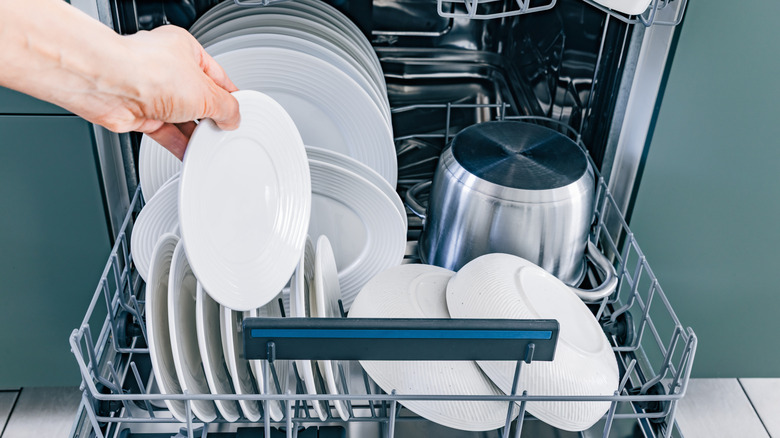
- Are You Loading It Correctly? Overcrowding the dishwasher or blocking the spray arms is a surefire way to get poor results. Make sure water can reach all surfaces. Our guide on how to load a dishwasher like a pro has some great tips.
- Use a Rinse Aid: If cloudy glasses are your main problem, you likely have hard water. A rinse aid is essential. It helps water sheet off the dishes, preventing mineral spots from forming.
- Water Temperature: The water needs to be hot enough (around 120°F or 49°C) to dissolve detergent and cut through grease. Run the hot water at your kitchen sink for a minute before starting the dishwasher to ensure it gets hot water from the start.
“I always tell my clients that 90% of ‘not cleaning’ issues are related to a dirty filter or clogged spray arms. A simple 5-minute cleaning can save you a $150 service call.” – John Carter, Certified Appliance Technician
Problem 3: The Dishwasher Won’t Drain
A pool of murky water at the bottom of your dishwasher is never a welcome sight.
- Check for a Clogged Filter: Yes, again! A severely clogged filter can prevent water from ever reaching the drain pump.
- Inspect the Drain Hose: The drain hose runs from the dishwasher to your sink’s drain or garbage disposal. Look for any kinks or clogs. Disconnect it from the sink end and blow through it to see if it’s clear.
- Clear the Air Gap: If you have an air gap (a small chrome cylinder on your countertop near the faucet), it can get clogged. Unscrew the cap and clean out any gunk you find.
- Check the Drain Pump: If the above steps don’t work, the issue might be the drain pump itself. You may hear a humming noise if the pump is trying to work but is blocked. With the power off, you’ll need to access the pump at the bottom of the machine to check for obstructions like broken glass or a cherry pit.
[amz id="dishwasher"]
Proactive Care: How to Prevent Future Repairs
The best repair is the one you never have to make. A little bit of regular maintenance goes a long way in extending the life of your KitchenAid and keeping it running efficiently.
- Clean the Filter Weekly: Pull it out and rinse it under hot water.
- Wipe Down the Gasket: The rubber seal around the door can get grimy. Wipe it down with a damp cloth to prevent leaks and bad odors.
- Run a Cleaning Cycle Monthly: Use a specialized dishwasher cleaner or run an empty cycle on the hottest setting with a cup of white vinegar on the top rack.
- Check Spray Arms for Blockages: Every few weeks, just give them a quick visual inspection.
- Use the Right Detergent: Using high-quality detergent and the correct amount is crucial for both cleaning performance and machine health.
When Should I Call a Professional?
While this KitchenAid dishwasher repair guide can help you solve many problems, there are times when it’s best to call in a certified technician.
- If you’re dealing with major electrical issues (and aren’t comfortable with them).
- If you suspect a problem with the main motor or circulation pump.
- If there’s a major, unidentifiable leak that could cause water damage.
- If you’ve tried all the troubleshooting steps for your issue and nothing has worked.
Sometimes, the peace of mind and safety of a professional repair are worth the cost.
Frequently Asked Questions
How do I reset my KitchenAid dishwasher?
To perform a master reset, you typically need to disconnect the dishwasher from its power source for at least one to five minutes. You can do this by unplugging it or turning off the corresponding circuit breaker. This can often clear minor electronic glitches.
Why is my KitchenAid dishwasher leaving a white film on my dishes?
This is almost always a sign of hard water. The white film consists of mineral deposits left behind as the water evaporates. Using a high-quality rinse aid and ensuring your dishwasher’s salt reservoir (if it has one) is full can solve this problem.
What does it mean when my KitchenAid dishwasher’s light is blinking?
A blinking light is usually an error code. The number of blinks or the specific light that’s blinking corresponds to a specific issue. Consult your user manual to decipher the code, which will point you toward the problem, such as a drainage or water-fill issue.
Can I use vinegar to clean my KitchenAid dishwasher?
Yes, absolutely. White vinegar is a fantastic and safe way to clean the interior of your dishwasher. Place a bowl with one cup of white vinegar on the top rack of an otherwise empty dishwasher and run a normal or hot cycle. This helps break down mineral deposits and sanitize the machine.
Why is my KitchenAid dishwasher so loud all of a sudden?
A sudden increase in noise could be due to a few things. First, check that nothing is loose inside, like a utensil that has fallen and is hitting the spray arm. If the noise is more of a grinding or humming, it could indicate a problem with the wash motor or drain pump, which may have debris in it.
Your Dishwasher, Your Control
Dealing with a malfunctioning appliance can be a real headache, but you’re now equipped with the knowledge to handle the most common issues. By following this KitchenAid dishwasher repair guide, you can often save time, money, and the hassle of waiting for a technician. Regular maintenance is your best friend for a long-lasting, reliable machine. So go ahead, take a look at your dishwasher—you might just be the hero your kitchen needs today.